
Consent2Go
MEDICAL INFORMATION & PERMISSIONS
The School uses Consent2Go (C2G) to share information and request approval for Learning Journeys, excursions and activities throughout the year (this system has replaced Operoo).
Every child enrolled at Mentone Grammar MUST have a C2G profile.
PLEASE NOTE: We are experiencing teething problems as we get C2G to work in the Mentone Grammar context, so we ask for your patience as we work through this. Please find more information below to help you navigate C2G.
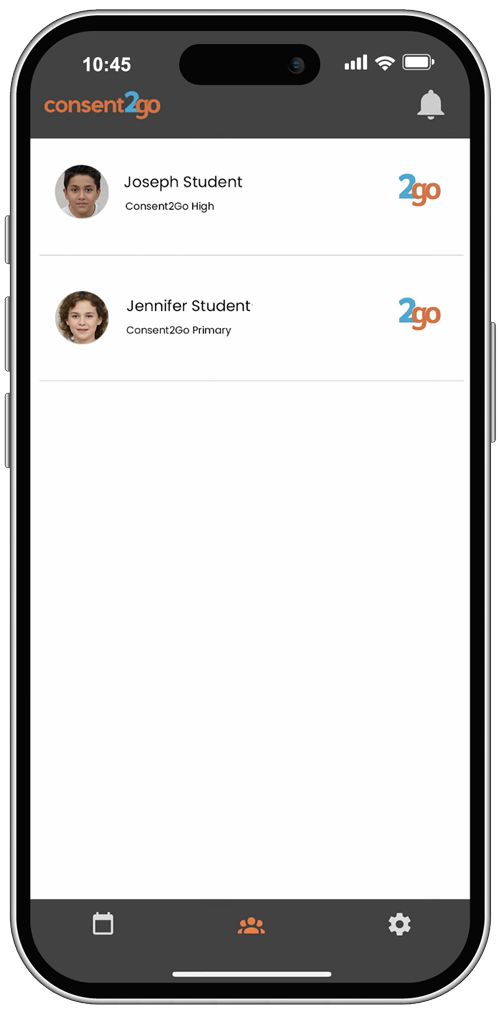
C2G Mobile App
The best way to access C2G is through the dedicated C2G app:
How do I set up a profile?
- You should have received an email invitation from C2G to create a profile for each child at Mentone Grammar.
- Emails will be from [email protected] (check junk and spam if you have not received it)
- Follow the instructions in the email to set up (or update) your account/profile (make sure to scroll to see instructions fully).
- Once set up, you can respond to permission forms, update contact/medical details, and receive important information about school activities as part of the consent process.
FAQs
- C2G calls everything an ‘Event’ which can be confusing terminology.
- C2G ‘Event’ emails are generally about providing ‘Permission’ for an activity which may be a specific event such as a Learning Journey or excursion, or it might be consent for a whole year activity such as Image Consent for student photos or participation in the compulsory sports program.
- Check the information in each C2G consent email you receive as to what is required and ensure you read any additional information attached.
- When you receive a C2G consent email (or you are looking at your consents on the C2G app), any additional information attached can be accessed when you click through to ‘Respond’ in first instance or ‘Update Response’ if you have already responded.
- Once you have consented to the activity, you will also receive a confirmation email, and any attachments will also be attached.
- If you are having trouble getting your C2G profile set up, please ensure you are scrolling fully to the bottom of the invitation email.
- If you are on mobile, try accessing it through a computer rather than phone.
- If you are still having trouble, please contact Cam Lancaster, Director of School Operations who can work through any issues with you – please email him with the following information:
- Name of Child
- Issue you are having
- If you are viewing on a mobile or computer
- Screen shot of what you are seeing (if possible)
- Email: [email protected]
If you’re unable to sign in or you can only see one of your children in the app, here are the steps to follow:
- Check if you’re fully registered
To register, open the app and tap the large registration button above the login boxes. Once you complete this step, you should be able to log in normally. - If you can see only one student
This means you’ve registered for one child but not the other.
You should have received an invite for the additional student—please check your email and accept the invitation to link them. - Make sure you’re logging in the right way
Parents cannot sign in using a web browser.
Parent access is through the app only.
The only time you may see anything in a browser is when you open a link sent to you by email.
Should you wish to discuss your child’s medical details, please contact our School Nurses:
C2G stores data in a secure environment and implements strong privacy protections. Only parents/carers can control what information is shared, and data will not be shared with any third party without explicit consent.
As per school policy C2G invitations are issued to PARENT 1 ONLY as the Profile Owner (unless specific parenting/court orders are in place). A Profile Owner may grant access to another person, such as a second parent/carer with permission to view only or view & modify the student’s profile.
- Enables you to update and maintain your child’s personal, emergency contact, dietary and medical/health information at any time.
- Allows you to provide or update consent for all required school activities.
- Pre-fill your child’s information for future forms and avoid having to re-enter details for each event.
- Provides key event details (such as schedules, transport, packing list, teacher contact info) for Learning Journeys, excursions, and other school activities.
Our previous consent provider, Operoo, made the decision to cease all operations outside of the USA from 2026. Schools were given very little time to make alternative arrangements. In researching systems and speaking with other Australian schools, C2G offered the best alternative at the time.
Once a parent approves an event for their child, students in Years 5–12 receive a confirmation email letting them know they have been approved to attend. Students cannot provide their own consent—this is always completed by a parent or carer. These emails are sent to help keep students informed and to support their growing independence and ownership over their activities.
Visit the C2G website for more detailed information or contact the C2G support team: