
You will be provided with a unique Parent Code per family when you join the School (split families will be provided with separate codes as required).
- You will require your Parent Code to login to Parent Lounge.
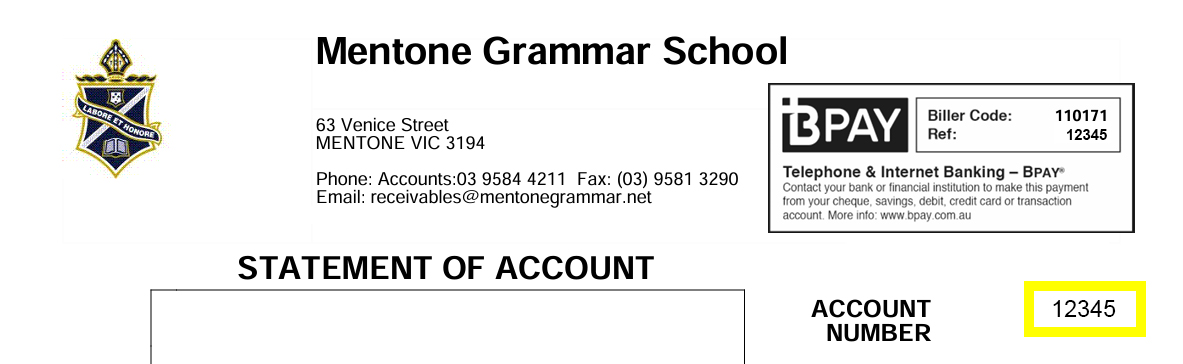
- You can find your Parent Code on any fees invoice – located far right (highlighted in yellow on image below).
- If you forget your code, you can find it via Parent Lounge > Accounts & Payments > School Fees Account
Click on link and follow the instructions for Reset Password – see the section above to find your parent code if required.

You can update your contact information, address details and visibility of your contact information to other parents in your child’s class.
- MyMentone app > Parent Lounge tile (bottom left)
- https://tass.mentonegrammar.net/parentlounge
To update personal and contact details go to the Parent Details tab on the main navigation
- Click on Address Details
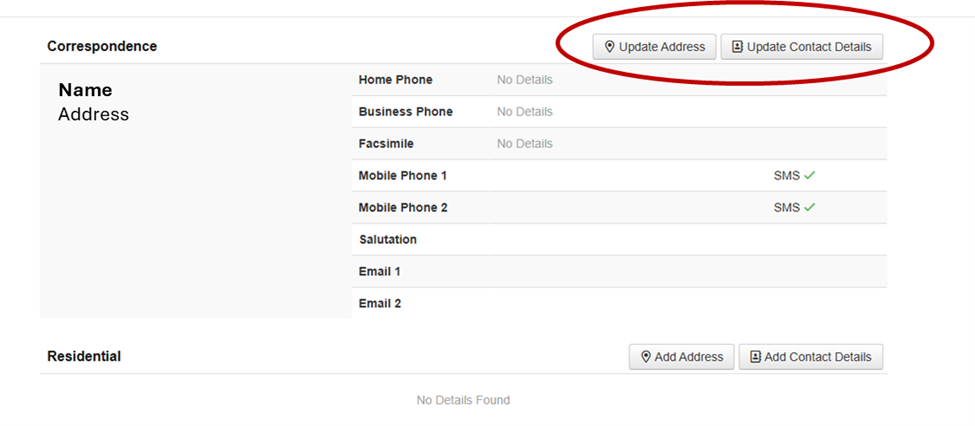
- Update all relevant details on the page using edit boxes (e.g. highlighted red below)
- Note: changes can take up to 3 business days to take effect.

To update the information visible to other families in your child’s class go to Parent Details tab on the main navigation
-
- Click on Parent Directory
- Click on your child’s Year/Class to see other parent details (of those who have elected to have information visible)
- Click Maintain to change your details and/or what is visible to others


Your Parent Code is your Parent Lounge username. Through Parent Lounge you will be able to do the following:
- View/update your personal details
- Log a student absence (this can also be done directly on the MyMentone app)
- View student attendance history
- Book Parent-Student-Teacher Interviews (PSTI) (when available)
- View class lists and other parent contact details (if available)
- View the School calendar and campus-related activities for your child
- Contact your child’s teacher(s) by email
- View Fee Statements and pay fees
IMPORTANT: Parent Lounge is for parents only and login details should not be shared with students.